
01
Rediscover Linux
A straightforward menu, a terminal close at hand and readable configuration files. Explore a desktop you can understand.
DAYLIGHT GNU/LINUX · 5.0.0-rc.2
A Fluxbox desktop, Rust tools and a sunrise identity for your 64-bit Raspberry Pi OS. Free software, yours to customise, installed with APT.
Raspberry Pi first. A PC live image to explore.
TAKE A LOOK
Raspberry Pi is at the heart of the project. Add Daylight to 64-bit Raspberry Pi OS: choose the desktop, or just the tools on a headless machine.
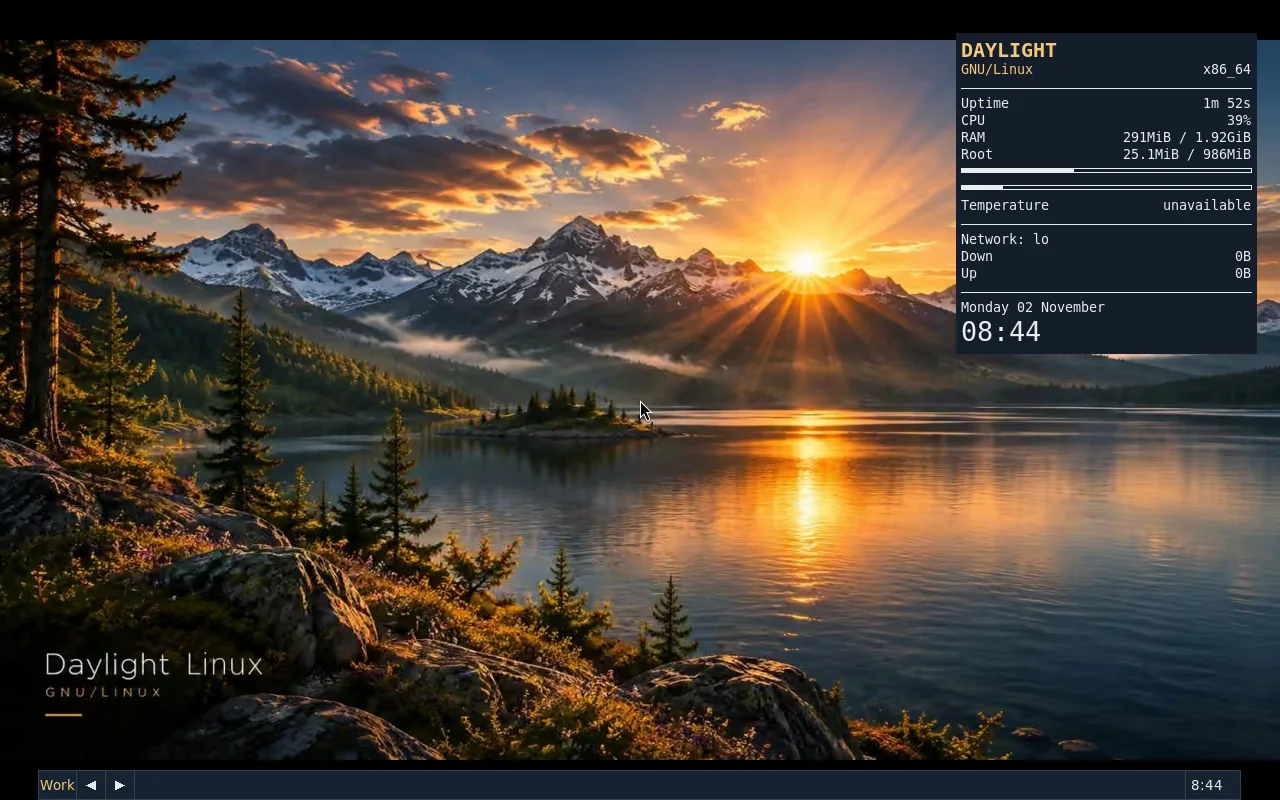
PC live-edition screenshot: a desktop preview, not a Raspberry Pi performance measurement.
01
A straightforward menu, a terminal close at hand and readable configuration files. Explore a desktop you can understand.
02
Choose a landscape, a Conky profile and your tools. Keep Raspberry Pi OS as the foundation instead of replacing everything.
03
Read the Rust, test on your hardware and contribute an improvement. Curious beginners and experienced users are welcome.
01 / USE DAYLIGHT
Raspberry Pi is at the heart of the project. Add Daylight to 64-bit Raspberry Pi OS: choose the desktop, or just the tools on a headless machine.
Start on Raspberry Pi02 / EXPLORE DAYLIGHT
No Raspberry Pi at hand? This Debian AMD64 live ISO lets you discover and test the desktop on a PC or virtual machine without installing Daylight. It is not a Raspberry Pi image.
Explore the PC live demoDownload and inspect the script. Without --yes, it installs nothing.
Installation guidecurl -fsSLo daylight-install.sh https://daylightlinux.ch/install.sh
less daylight-install.sh
sh daylight-install.sh --desktop --planTo use Daylight on your Pi, install the packages on 64-bit Raspberry Pi OS. The AMD64 PC live image is a desktop demonstration, not a Raspberry Pi SD-card image.
The current version targets Debian 12/13 and compatible 64-bit Raspberry Pi OS (ARM64). The core has run on Raspberry Pi 4. That does not certify every board, display and driver combination. 32-bit ARM is not supported.
No: Daylight adds packages to a compatible existing system. Back up your data and review the installation plan. The desktop uses a separate X11 session and does not automatically replace your current session.
Release candidate: review the validation record before installing on an important machine.
All answers →Discover Daylight, share your desktop and help make it better.